
Quick answer
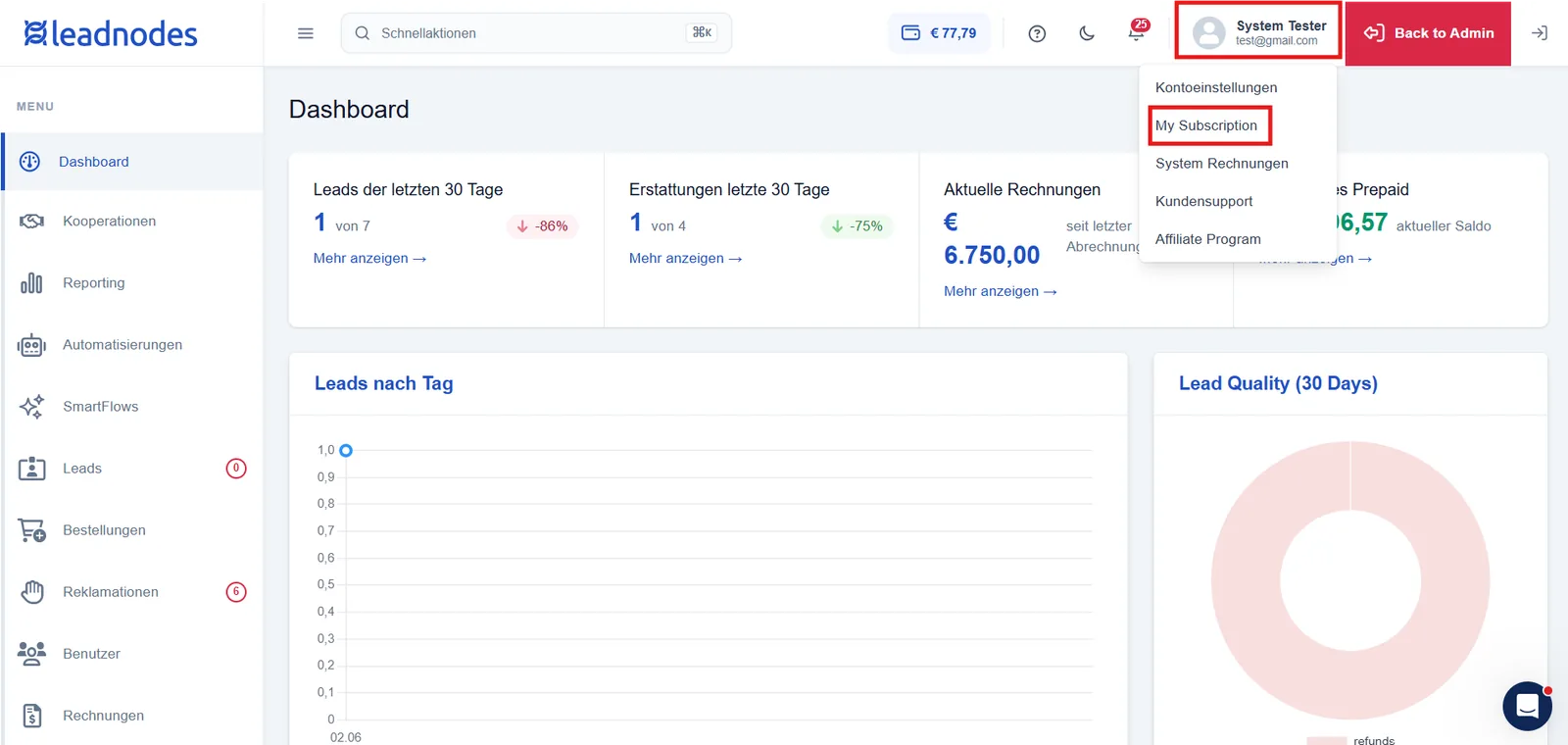
If you have the System administrator role, you can cancel your subscription yourself. To do so, open the Settings at the top right by clicking on your name, then click “My Subscription” and select the cancellation option.
You will find the Cancel subscription option by scrolling all the way down.
The cancellation automatically takes effect at the end of the current billing period – until then, you retain full access.
Detailed instructions
Self-cancellation is available to you if your account is billed via SEPA direct debit or as prepaid. Proceed as follows:
- Log in with a user account that has the System administrator role.
- Navigate to Settings > My Subscription.
- Scroll all the way down to the Cancel subscription section.
- Click the cancellation button. A confirmation dialog opens showing the exact date on which the cancellation takes effect.
- Confirm the cancellation via Confirm cancellation. If you would rather continue after all, select Keep subscription.
After confirmation, the cancellation is scheduled for the end of the current billing period. You will receive a confirmation with the exact end date.
Further frequently asked questions
When does my cancellation take effect?
With a monthly contract, the subscription ends at the end of the current calendar month. With an annual contract, it ends at the end of the month in which the next anniversary of your contract falls. You retain full access until that date.
Can I reverse a cancellation?
Yes. As long as the end date has not yet been reached, your subscription is in a transition phase. During this period, you can revoke the cancellation under Settings > My Subscription via the Continue subscription option.
Why don't I see a cancellation option?
There are two possible reasons: either your user account does not have the System administrator role, or your account is billed via Stripe (credit card). In that case, the cancellation is handled via the Stripe management and not directly in the subscription settings.
Do I lose access immediately when I cancel?
No. You retain full access until the end date shown. Only after this date has passed does access to the system end.
Who can cancel the subscription?
Only users with the System administrator role can cancel or continue a subscription. Users without this role do not have access to this function.