Incoming webhooks are a simple way to create leads in Leadnodes from external sources. They use regular HTTP requests with a JSON payload containing the lead data and a few other optional details, which are described below.
Endpoint URL
https://app.leadnodes.com/hooks/heyflow/{#USER-API-KEY#}/{#LEAD-Type-ID#}
Important:
The parameters and must be replaced.
Webhook Structure
lead_type_id (INT, required)
Leadnodes lead type ID.
gender (STRING, optional)
Gender (m = male, f = female).
first_name (STRING, optional)
First name of the lead.
last_name (STRING, optional)
Last name of the lead.
fullname (STRING, optional)
Combination of first and last name, separated by a space.
birth_date (DATE, optional)
Date of birth of the lead.
street_no (STRING, optional)
Street and house number of the lead.
zip_code (STRING, optional)
Postcode of the lead.
phone (STRING, optional)
Phone number of the lead.
email (STRING, optional)
Email address of the lead.
custom_data (ARRAY, optional)
Custom fields.
ip (STRING, optional)
IP address.
uuid_required (BOOL, optional)
Specifies whether a UUID is required.
uuid (STRING, optional): Universally unique identifier (UUID).
campaignid (STRING, optional)
Campaign ID for grouping.
creative (STRING, optional)
Advertising material (e.g. banner, link).
device (STRING, optional)
Device: m = mobile, t = tablet, d = desktop.
keyword (STRING, optional)
Keyword.
matchtype (STRING, optional)
Match type: e = exact, b = broad, p = phrase.
placement (STRING, optional)
Ad placement (website, app, newsletter).
newsletter_optin (BOOL, optional)
Newsletter consent.
affili_id (INT, optional)
User ID of the affiliate user.
JSON Payload Example (one dimensional json-object)
{
  "lead_type_id": "1",
  "gender": "m",
  "first_name": "John",
  "last_name": "Doe",
  "birth_date": "1982-10-02",
  "street_no": "Nieder-Kinziger-Str. 27b",
  "zip_code": "64732",
  "city": "Frankfurt",
  "phone": "+49465465466",
  "email": "email@lead.com",
  "ip": "192.186.105.13",
  "uuid": "ID1234678XYZ",
  "campaignid": "12345",
  "creative": "ad name",
  "device": "m",
  "keyword": "keyword",
  "matchtype": "e",
  "placement": "google.com",
  "newsletter_optin": "0",
  // custom data examples
  "custom_data_field1": "Value A",
  "custom_data_field2": "Value B",
  "custom_data_field3": "Value B"
}
Important!
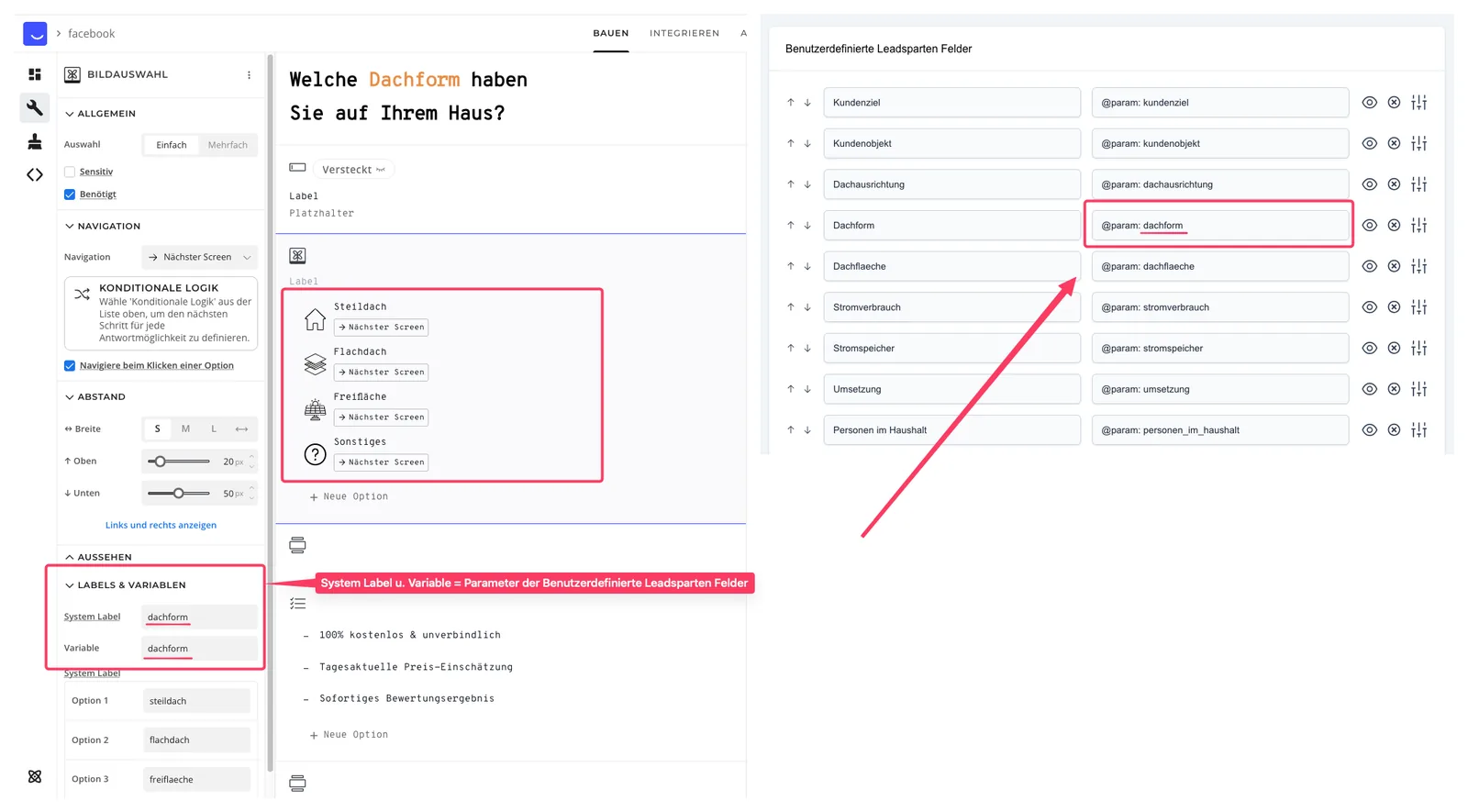
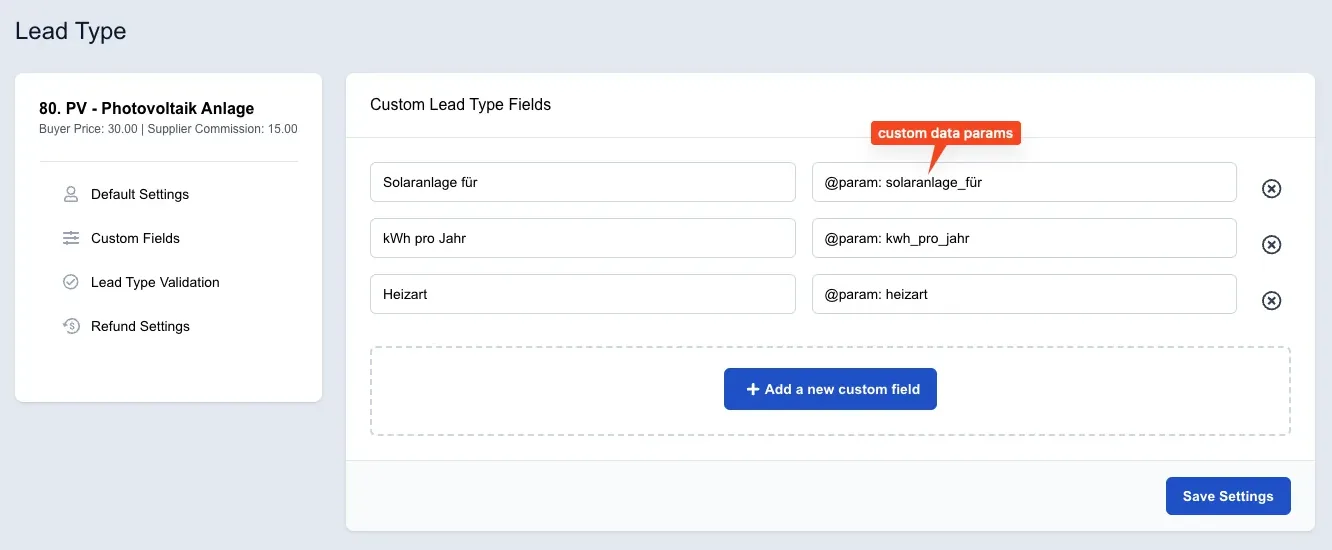
The parameters “custom_data_field1, custom_data_field2, custom_data_field3” are examples of the actual custom parameters defined in the lead type.
Important!
Just make sure that the parameters in Heyflow match those of your respective lead type.