Lead forms can be created on the basis of a lead type to capture leads directly in the platform.
Lead forms are particularly suitable for mobile data capture, e.g. at trade fairs or in field sales (e.g. door-to-door). The forms allow leads to be entered directly on site and transferred to the platform.
+ New lead form
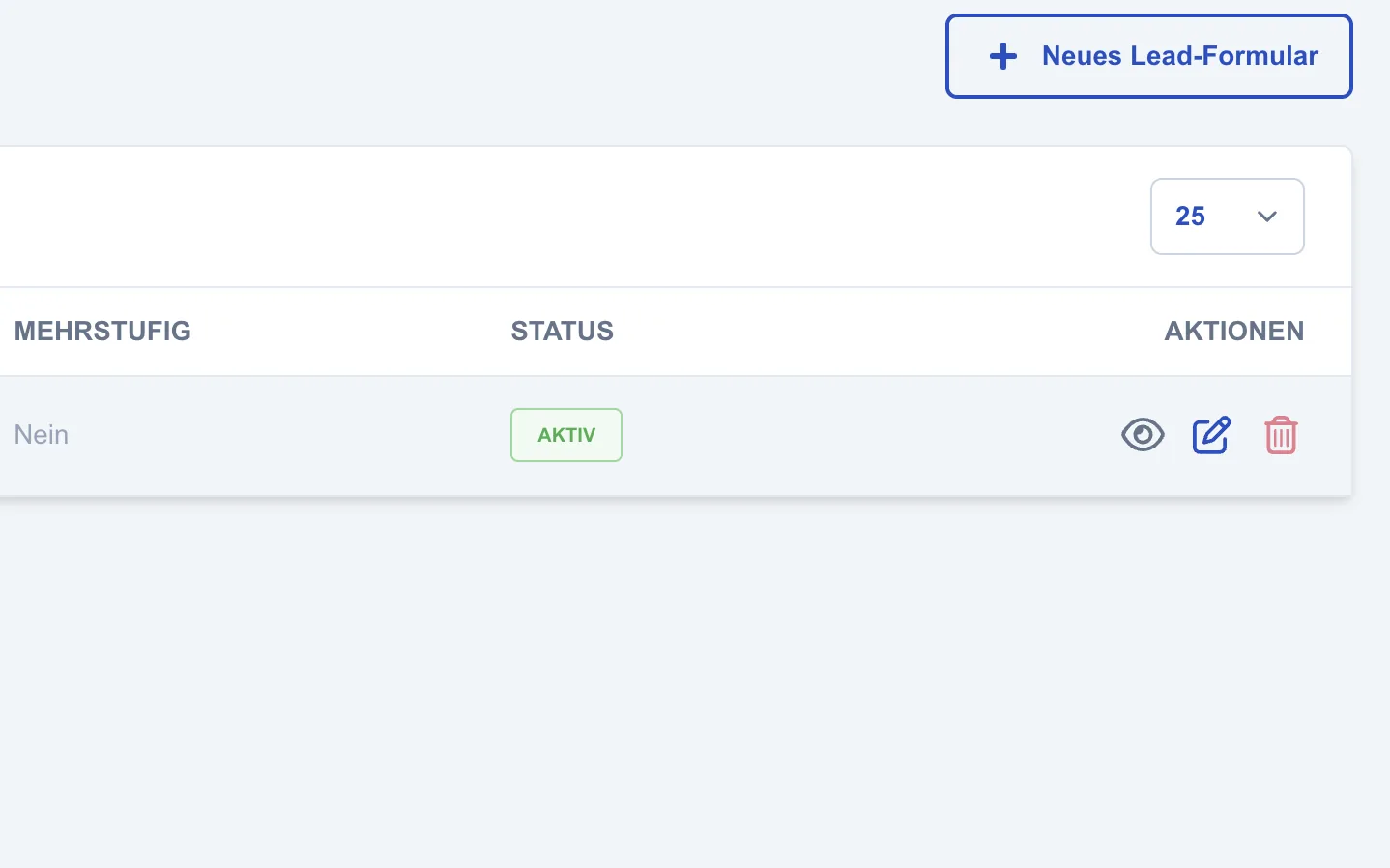
New lead forms can be created via +New lead form.
Creating a new lead form
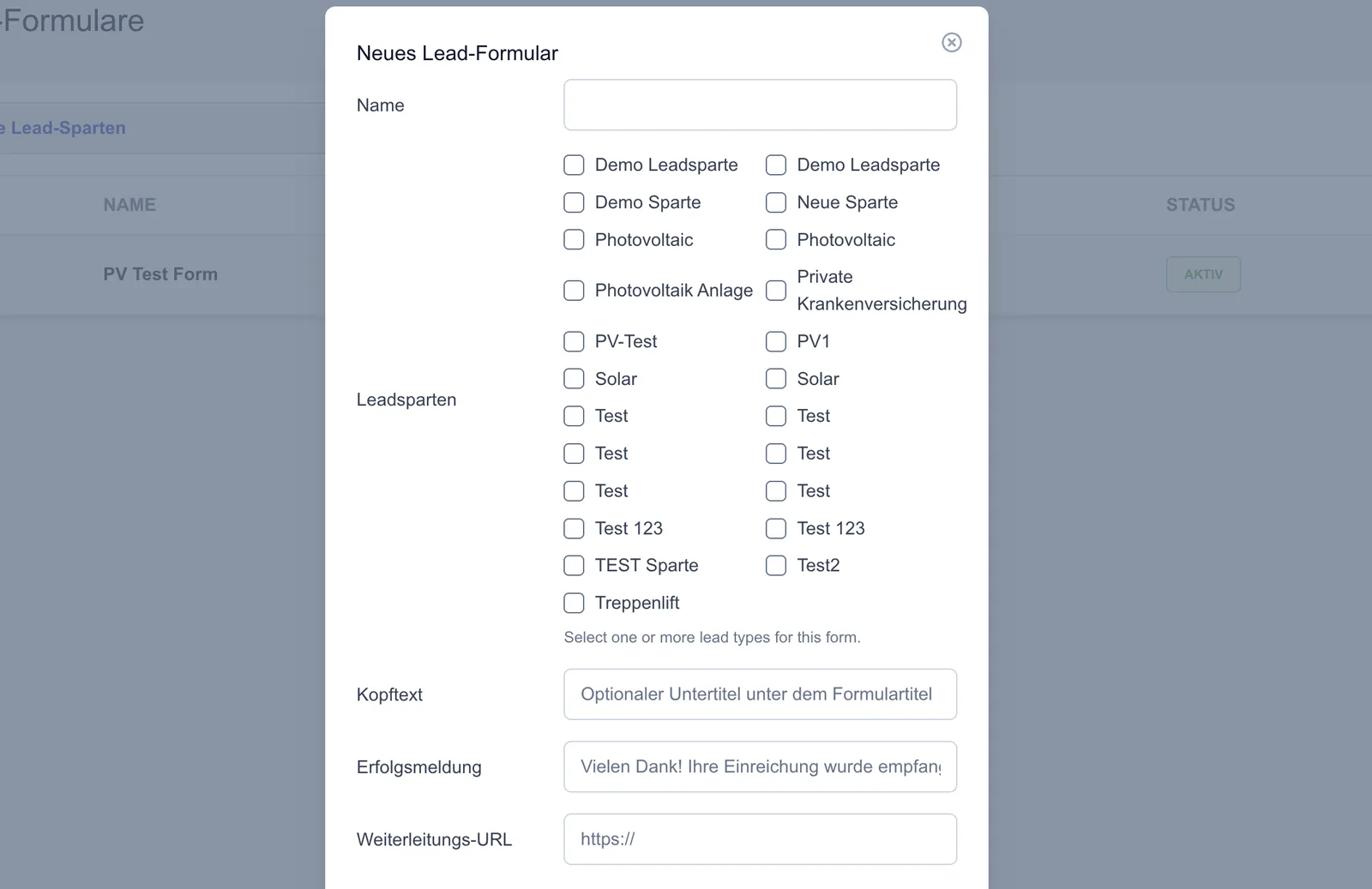
This is where you assign the name and select one or more lead types the form should apply to. In addition, a header text, a success message and an optional redirect URL can be defined.
Defining the captured fields:
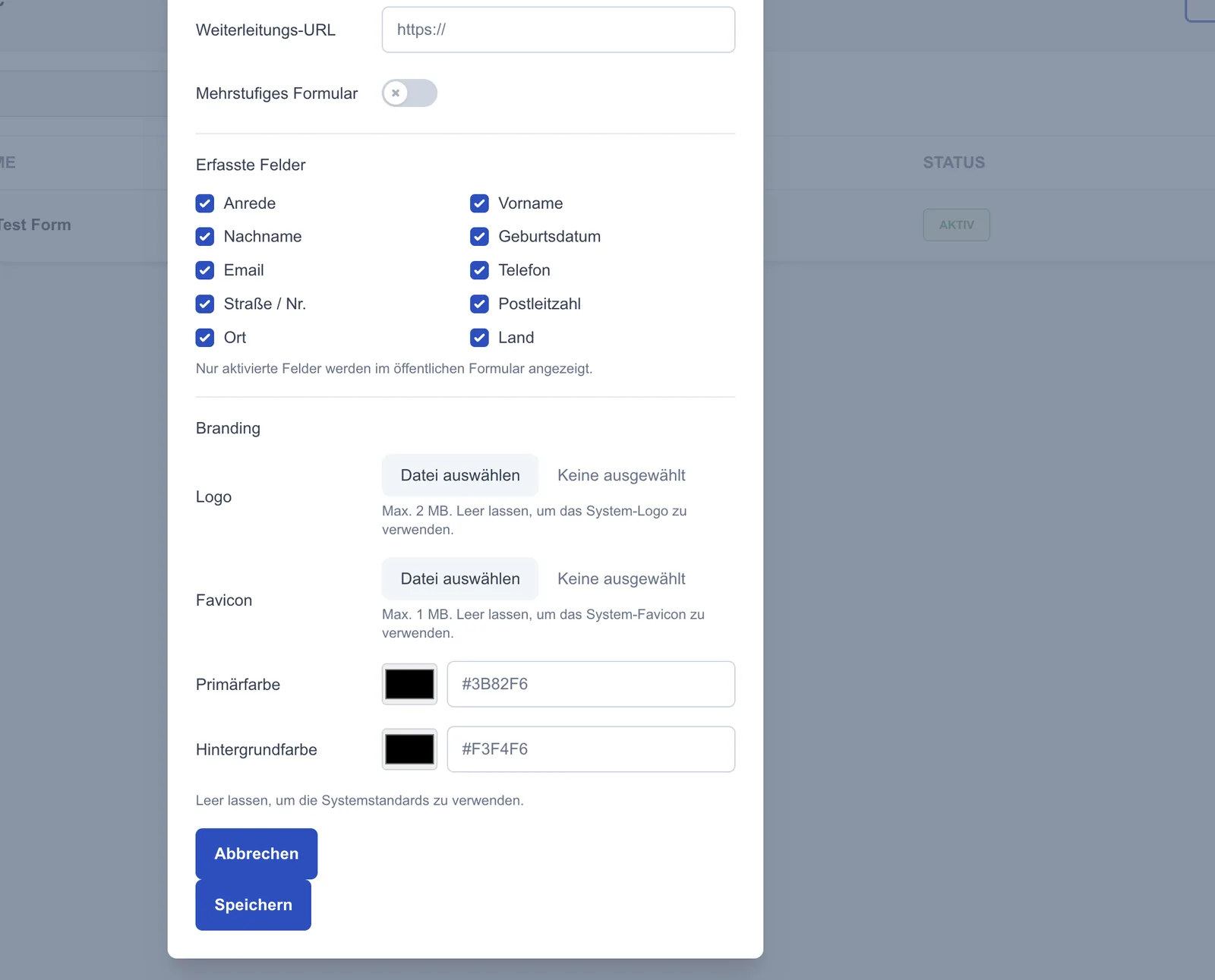
You can select which fields should be displayed and requested in the form. Only activated fields are later used in the form for lead capture.
Multi-step form:
The “Multi-step form” option lets you define whether the form is displayed in several steps.
Customising the branding:
Individual branding settings can be applied to each form. These include the logo, favicon as well as the primary and background colour, so the form can be adapted to your own corporate design.