
Below we describe how to connect forms created with WPForms to Leadnodes in just a few steps.
What is WPForms?
WPForms is a user-friendly form plugin for WordPress that lets you create contact forms, surveys, registration forms and more via drag and drop.
Website: https://wpforms.com/
Guide
To connect a WPForms form to Leadnodes, the best option is to use the built-in webhook function of WPForms.
-
Select the form: Select the form you want to connect to Leadnodes and click “Edit”.
-
Switch to Webhooks: Go to the Settings > Webhooks tab.
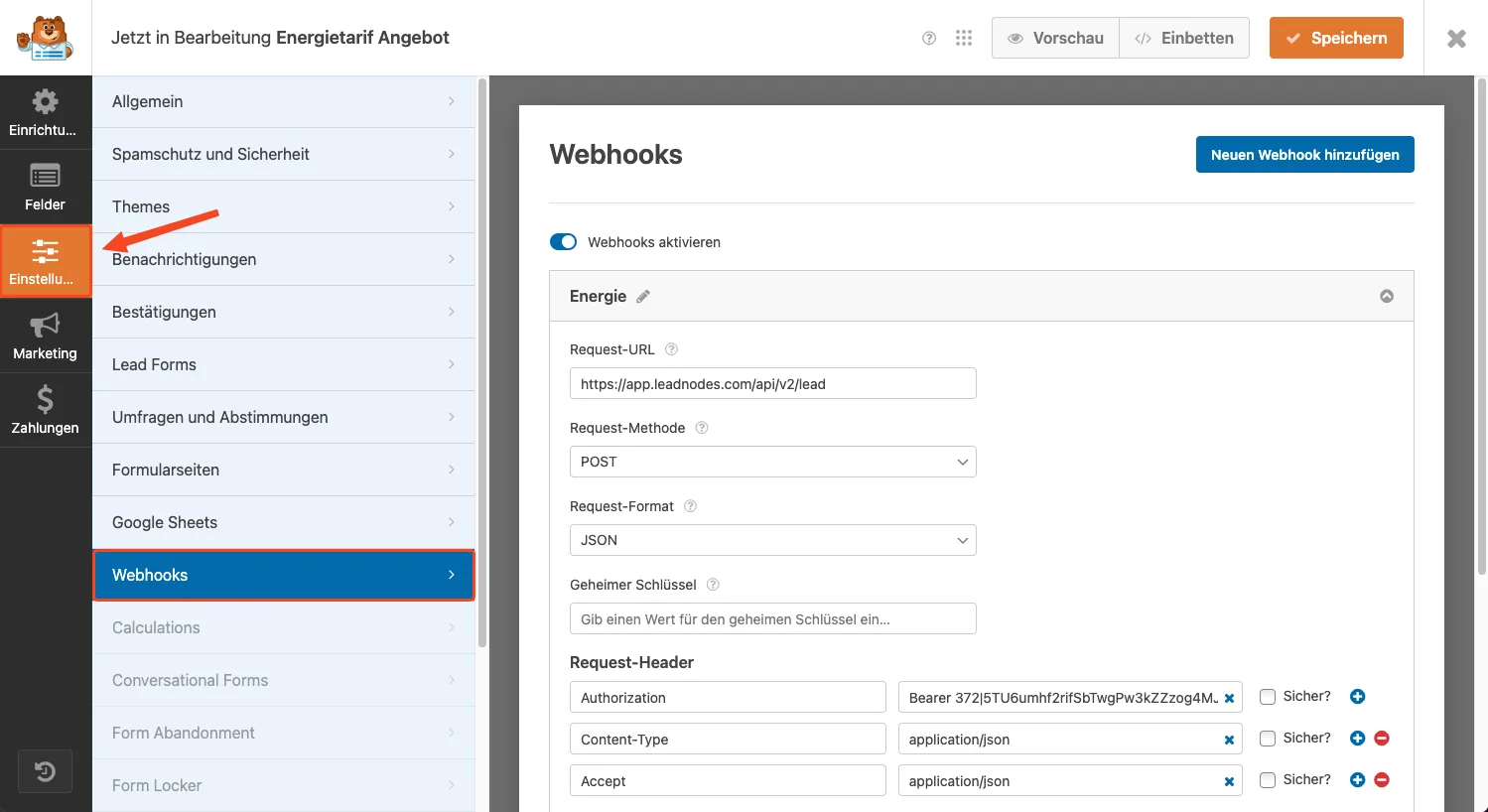
Settings
Enter the following parameters for the webhook:
Request URL: https://app.leadnodes.com/api/v2/lead
Request method: POST
Request format: JSON
Request headers
In the Request headers area, enter the following parameters:

Parameter (custom value): Authorization
Value: Bearer XXXX-API-KEY-XXXX
Parameter (custom value): Content-Type
Value: application/json
Parameter (custom value): Accept
Value: application/json
Request body
In the Request body area, you can define the desired lead type via the lead_type_id parameter and link the form parameters to the lead parameters.
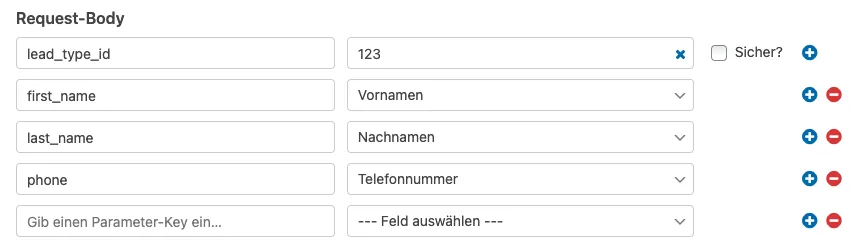
Parameter (custom value): lead_type_id
Value: 123 (your lead type ID)
Example: linking form parameters to the lead parameters

Important!
Custom lead parameters can also be linked to a form parameter simply via the parameter name.
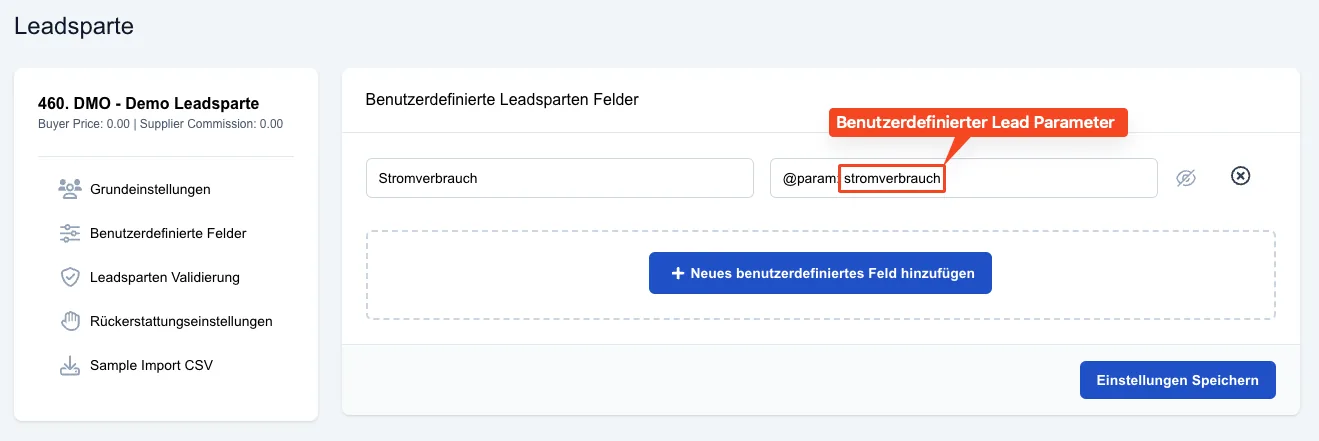
You can find a complete list of the possible lead parameters here: