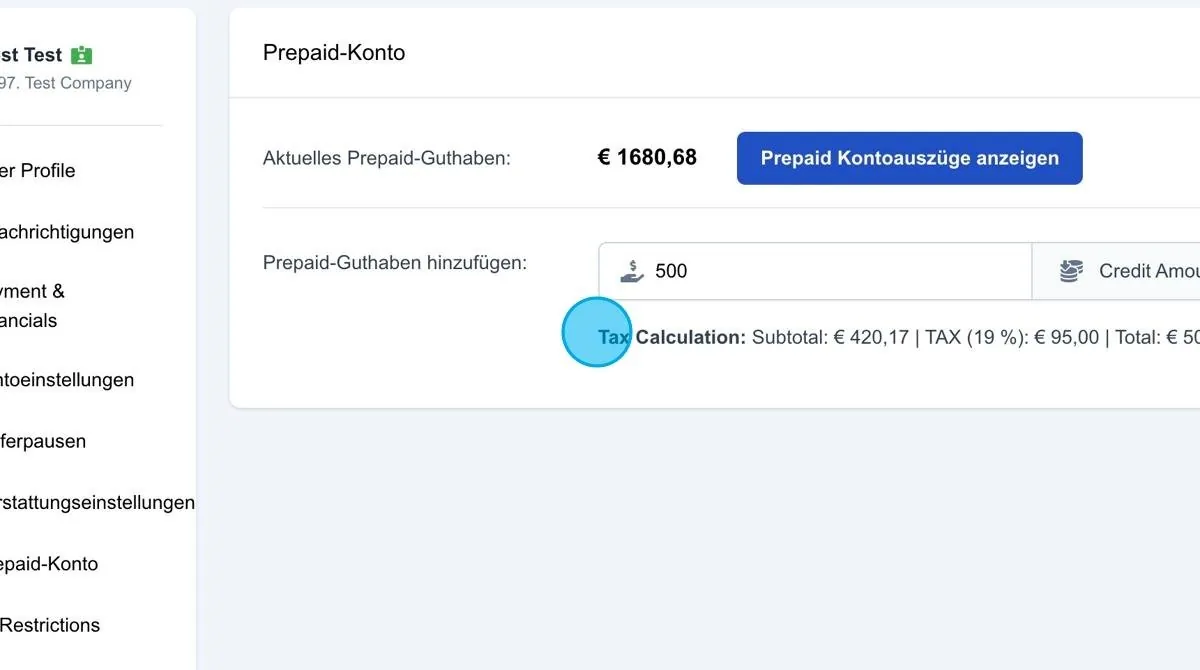
If the user works with a prepaid account, this section displays all relevant information and transactions relating to the prepaid account. A prepaid account allows credit to be topped up in advance, which is then used for future lead purchases.
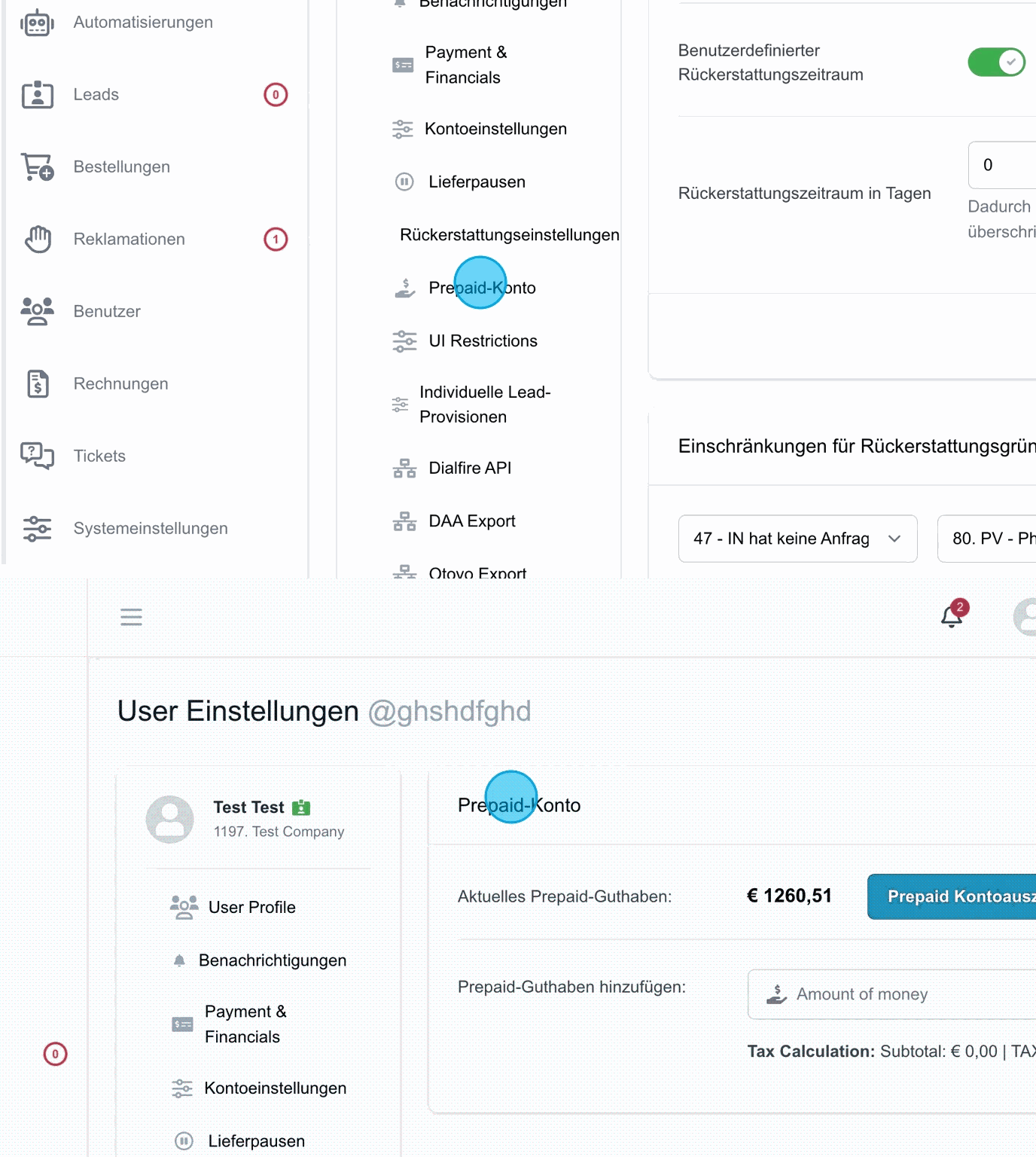
Current prepaid credit
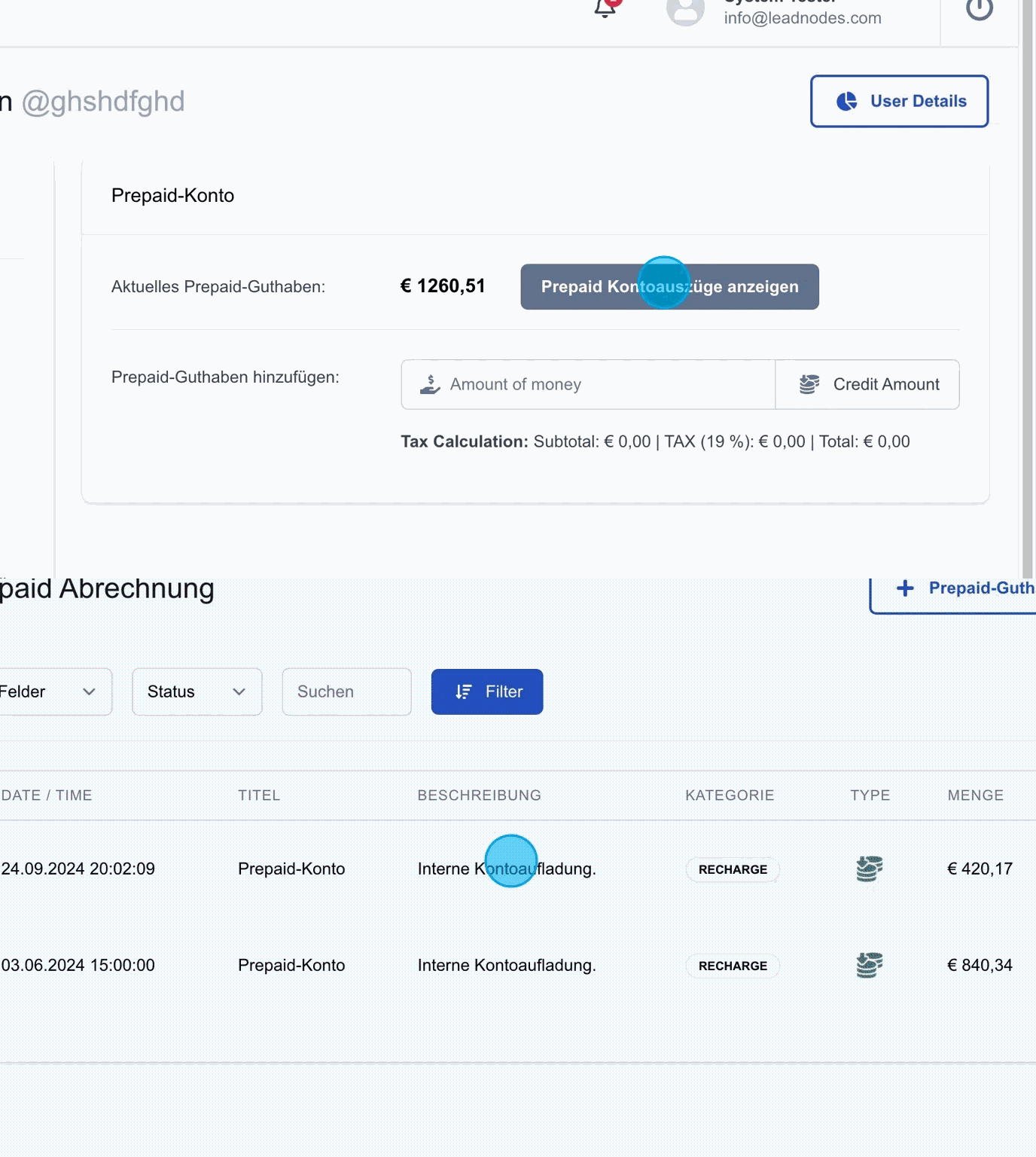
The first column shows the user's current prepaid credit. The “Show prepaid account statements” button takes you to the overview of all transactions, such as lead purchases or top-ups of the prepaid account.
Adding prepaid credit for the user
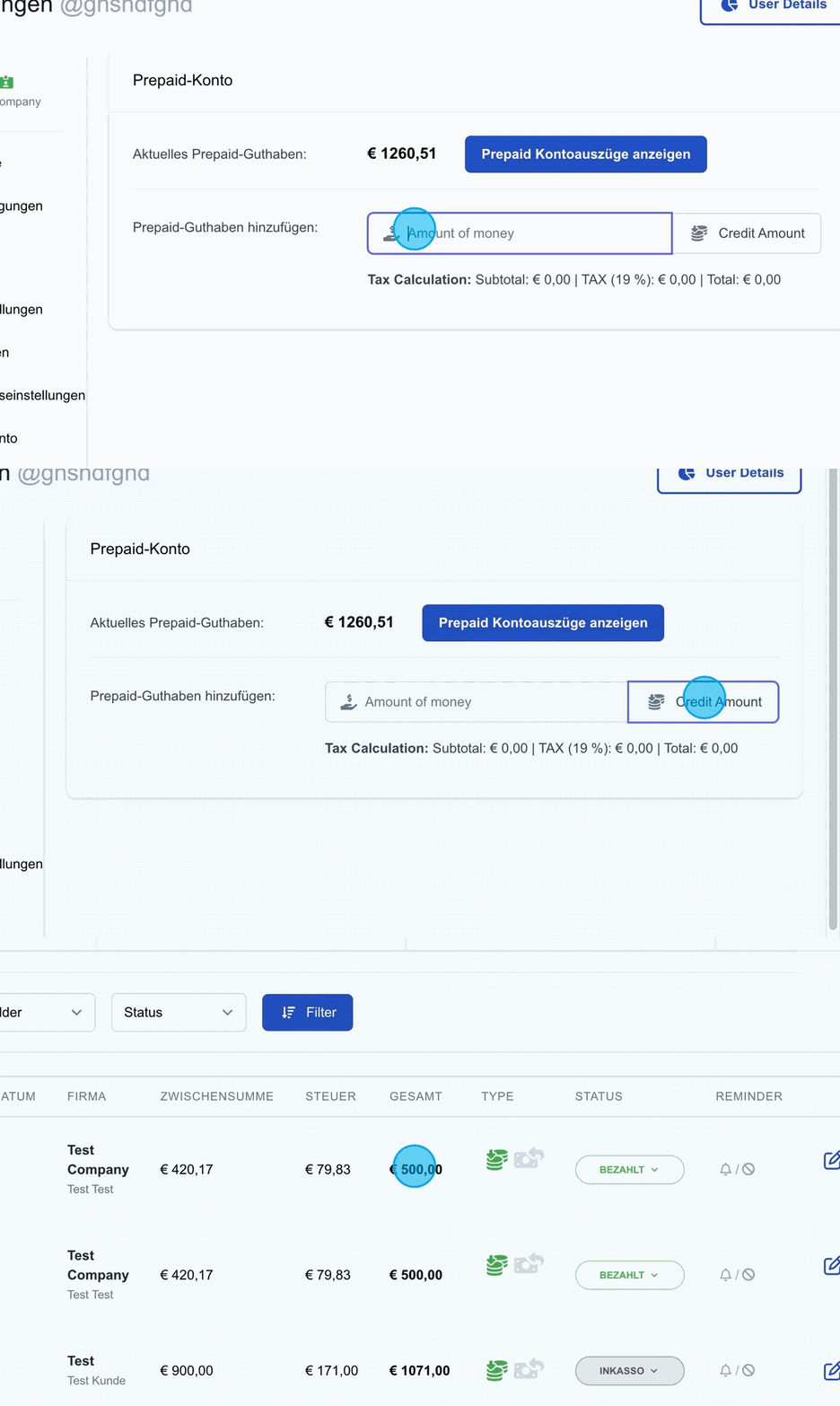
In this section, credit can be added to the user's prepaid account. For example, if a customer transfers 500 euros to the system operator, this amount is entered here and offset in the system. The “Credit Amount” button then credits the amount to the user's account.
As soon as the credit has been added, an invoice for the amount is generated automatically.
The credit note becomes visible in the user's prepaid account, and all transactions, such as a top-up, can be traced in the account statements.
Tax Calculation
Please note that the amount entered, e.g. 500 euros, includes VAT at the current rate of 19 %, depending on the setting previously defined under “Payments & Financials”. As a result, only €420.17 is credited to the prepaid account.