In addition to the basic settings, there is a section for custom fields. By default, basic fields such as salutation, first name, last name, street, house number, postcode, city, phone number, email and configuration data are already in place. These fields exist automatically and do not need to be created separately.
They can be delivered directly with a lead, but they are not mandatory fields. Whether a field is marked as mandatory is defined later during validation. The standard fields are therefore available without any additional effort.
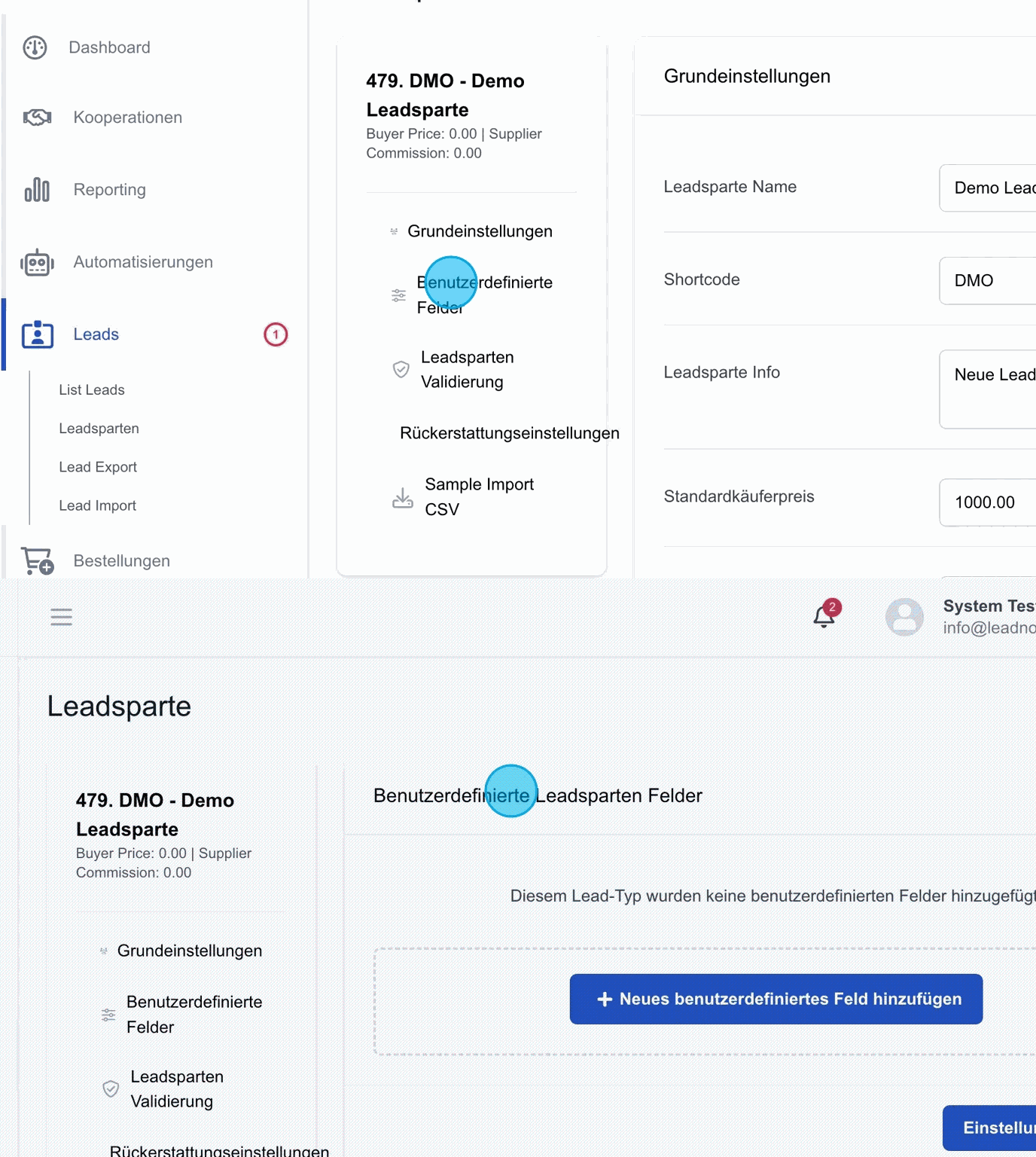
Add a new custom field
For the specific requirements of a lead type, such as an electricity lead, additional fields need to be created. A typical example would be the field "Electricity consumption". Beyond that, any number of further lead type fields can be added to capture additional information, such as "Persons in household" or other relevant parameters.
These fields extend the standard fields with specific additional data required for the respective lead type. The result is a lead that contains not only the personal data but also the additional information for the selected lead type.
It is important to define these additional fields in advance, because during the later lead import only the data defined in the custom fields will be accepted.
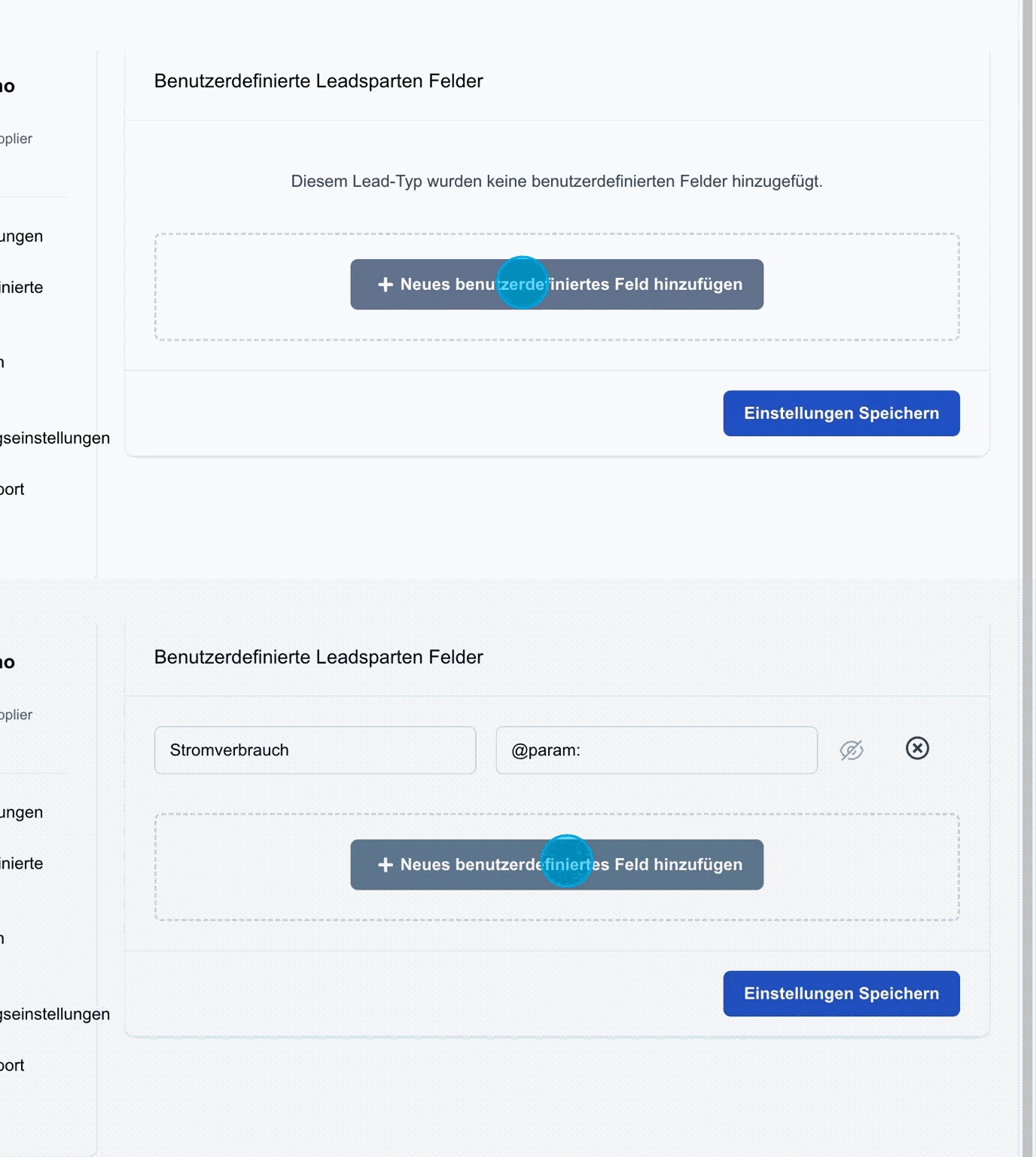
Save settings: Once the custom fields have been created, they can be stored permanently by clicking "Save settings".
Visibility of custom fields
For custom fields in the lead data, you can define whether the field should be visible to your customers or used exclusively for internal purposes.
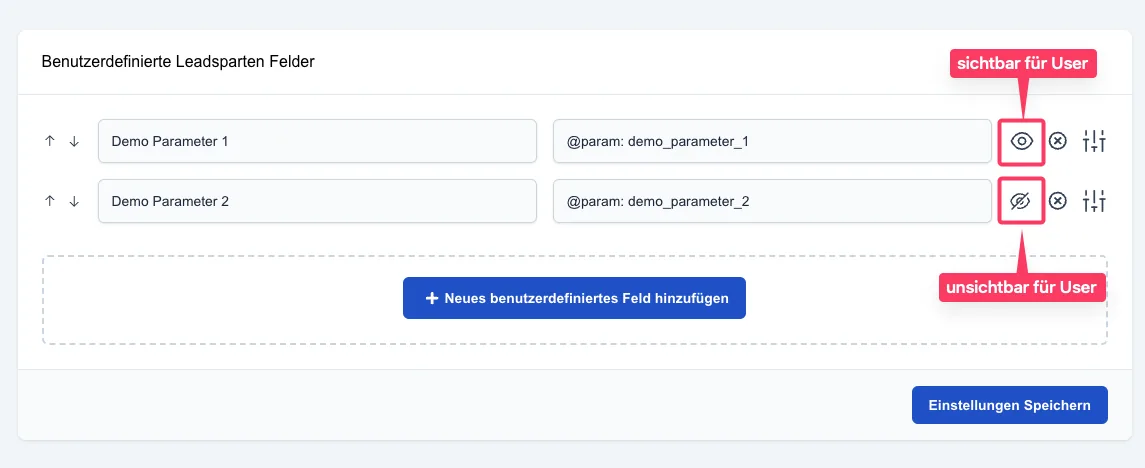
How it works:
Each custom field has an eye icon on the right-hand edge.
- Visible (open eye): The field can be viewed by the customer in the customer portal.
- Hidden (crossed-out eye): The field is only visible to your internal team.
Settings icon
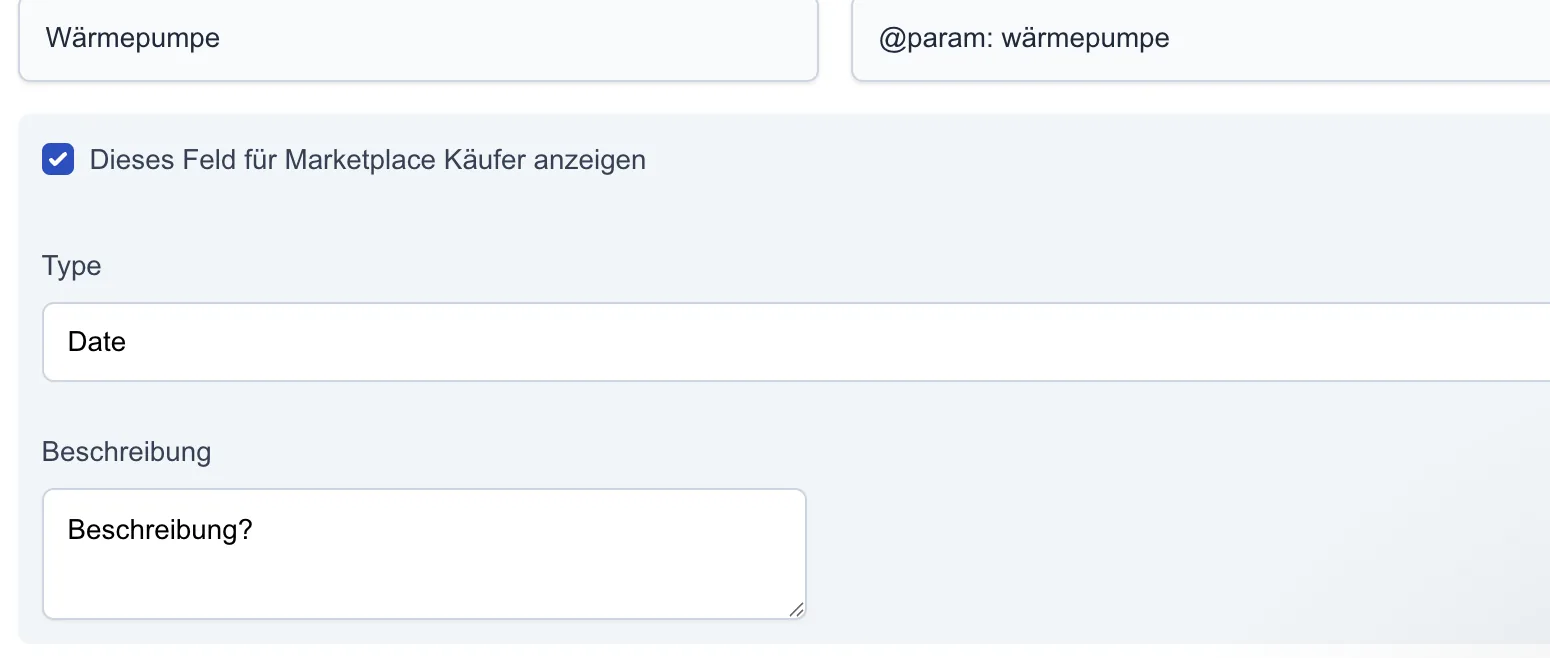
The settings icon takes you to the selection of custom fields for the marketplace.
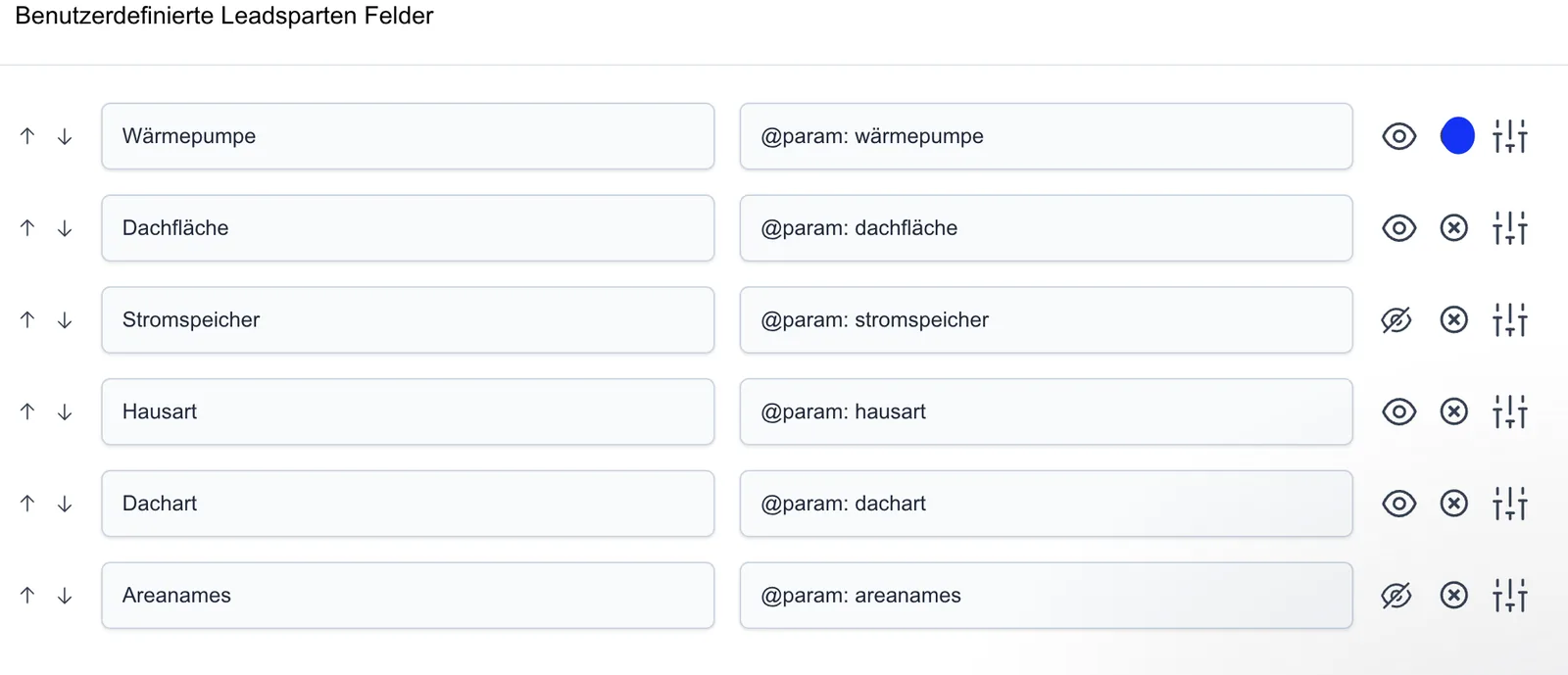
Custom fields in the marketplace
In the custom field settings, the checkbox lets you activate which additional parameters are displayed in the marketplace at checkout.